★★★★★These are by far the best fans i have ever owned.
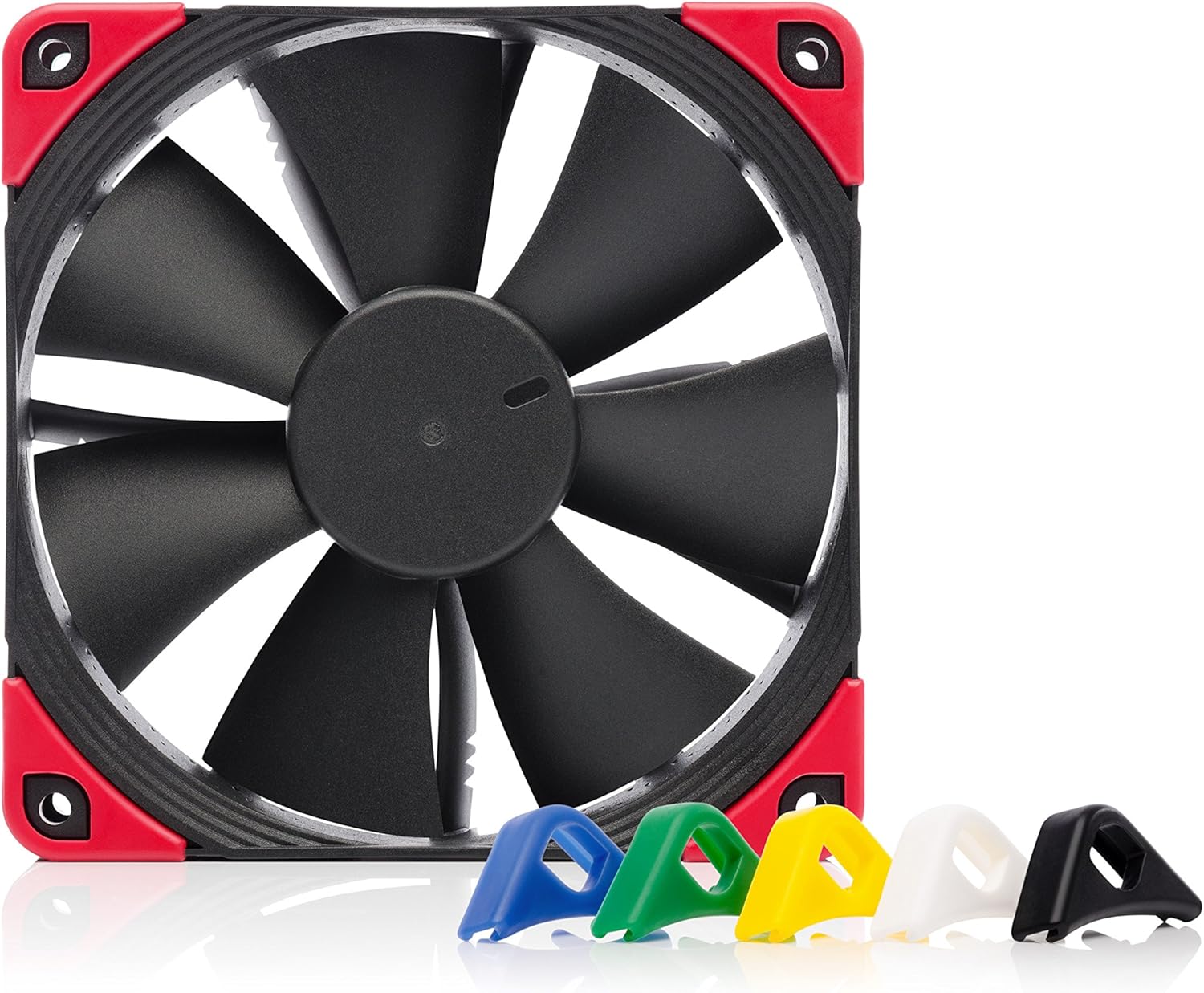
These fans are amazing and worth every penny! Not only are they super quiet even at high speeds, they are also great at pushing air keeping a nice steady flow of air. The only downside to these fans is unfortunately they do not come with RGB lighting, but honestly I'd much rather have cooler temps while still having minimal noise occur from the fans spinning. I have ordered 3 of these fans and they all work flawlessly. Again the cooling capability of these fans are good. Look wise the fans are black with the options to put on colored anti vibration pads on the corners of the fans. Will be ordering 2 more in the near future.
ALEX · 2025-01-20 · via amazon
★★★★★Low RPM but nice and quiet
I bought a Thermaltake AIO triple radiator and after about a year I started hearing some noises from the fans. I knew Noctua fans are supposed to be excellent fans but I can't deal with the brown. I was pleased to find these black ones. I noticed the RPM was listed at 1500 and my Thermaltake fans were 2000 I think. These fans are definitely quieter most likely due to the lower RPM. I tried a test and cranked my CPU fans to 80% and I could barely hear them. I turned them up to 100% and they were more noticeably louder but still quieter than the Thermaltakes at 50%. They did get up to 1500 RPM at 100% so that rating is accurate. I ended up setting them at a minimum of 50% and maxing out at 100% with high temps but it never gets that hot. I didn't really notice any difference with CPU temps while playing a game for a few minutes. There is not much airflow coming out of these fans when you place your hand in front of them. I was worried they might not move enough air but everything I have read says they are a better design at moving air at a lower RPM. Who knows? It is irritating they only give you 4 of each color for the anti vibration pads. I put the black ones on top and red ones on bottom. I don't see that the top ones serve any purpose because the top of the fans are not touching anything being mounted on top of my radiator in a pull configuration. I can't think of too many setups where your fan would be contacting another surface on both sides so maybe that's why they only give you 4? They seem to be high quality and the packaging was nice. I was not happy about the placement of the 4 pin connector coming out of the fan to plug the extension cable into. It is very short and I wanted to pass it through the opening around my radiator. I ended up having to leave the connector above the opening. Not a big deal but some people might find it less than ideal for their setup. The extension cables were long enough with length to spare and I am in a full size case.
NCshopper · 2020-09-04 · via amazon
★★★★★Absurdly quiet, great choice for a CPU fan swap
I purchased this Chromax Black fan to replace the fan that came with my Cooler Master Hyper 212 Evo. I am incredibly impressed with this fan. It is not even Noctua's quietest 120mm fan, I believe that goes to the NF-A12x25 ULN, but this thing is incredibly quiet. Even at full tilt, this fan is pretty quiet, and the noise it makes is not annoying. This fan also looks great. I'll admit, I've got a soft spot for RGB components, but this fan on my CPU cooler honestly looks better than an RGB fan would to me. It oozes a sense of authority. I have a Ryzen 5 3600, stock clocks, and this fan easily keeps it under control. I have stress tested my CPU with Prime95 and this fan and cooler combination, along with Arctic Silver MX-4 keeps it at 56 C the whole time. My custom fan curve has it set to run at 75% at 60 C, so this fan is easily enough to keep my 3600 in check. I installed the vibration dampening pads on the outside of the fan because I have some hidden on the cooler side of the fan already, and they just look too good to put on the less visible side of the fan. The cable coming off the fan is extremely short, so chances are you will have to use the included extension, which is sleeved and also looks good. The extension is very long, I don't see anyone not being able to reach their fan headers unless they're using this for a top mounted radiator in a mid tower and their CPU fan headers are on the bottom of their motherboard for whatever reason. I didn't really pay attention to my temperatures with the stock fan that came with my cooler, but I imagine this is better, there are tests that show the Noctua was a degree or two cooler than the stock 212 Evo fan, and the Noctua is far quieter. Pros: -Absurdly quiet, my Corsair SP120 case fans drown it out -Looks good, especially with the black pads -Vibration dampening pads are very soft and the colors are nice, they also look killer -Comes with a very long extension cable in the box Cons: -The cable coming off the fan was an inch too short to reach my CPU fan header on my ASUS TUF X570-Plus, so I had to fold and zip tie the extension to the side of the fan to reach the header without looking ugly -I wish it came with double the anti-vibration pads so there were 8 of each color, but it's okay
Amazon Customer · 2020-10-15 · via amazon
★★★★★Quiet, Cool Upgrade for my Cryorig H7 CPU cooler tower
To summarize my points before going into details: Pros: + Aesthetically pleasing for my build, white matches the RGB lighting on motherboard and front fans and LED strip + much quieter tone compared to stock Cryorig H7 fan + Pretty simple to mount to cooler with H7 fan clip + variety of color options for rubber mounts + Strong cooling power (notice at most a 3-5 degree Celsius difference from stock with an upgraded Noctua airflow fan on the back) Cons: - High price for fans - short cables For more in depth review: I love these fans. I'm officially a "fan" of Noctua fans (HA bet you didn't expect the puns in this review). From my testing, this Noctua fan paired with the stock case fan that I had on the rear for CPU cooling made only a minimal difference, maybe within the margin of error. With the second Noctua fan, it made a huge difference because this fan is able to push hard on the heat stack and the rear fan is able to keep up with a large amount of airflow. I do recommend this product for a heatsink upgrade, but I would recommend you upgrade the case fan in back to compliment it. For the noise, I notice a substantial difference compared to the stock fan, mainly because it is a lower tone compared to the normal Cryorig fan. The same goes for the rear fan, it is substantially quieter than the stock Fractal Design case fan. Highly recommended.
Matt · 2019-05-07 · via amazon
★★★★★I love these things
Brown Sucks. Or at least it dose in a computer case. The grey ones are not much better and they are sub standard fans. These are really great case fans. You give up less form with the black plastic and the multi color vibration guards are fantastic. You can have nice looking fans without rainbow puke. So is it all about the look no not really. They are super effective which can really keep the noise levels down and pump a lot of air. Now no fan can pull air through glass so your NZXT case still is a POS. The air has to come from somewhere. Go buy a Liam Li case I don't care which one and put great fans in it. Quit creating toaster ovens and baking your CPUs.