★★★★★Top notch quality and surprisingly high performance
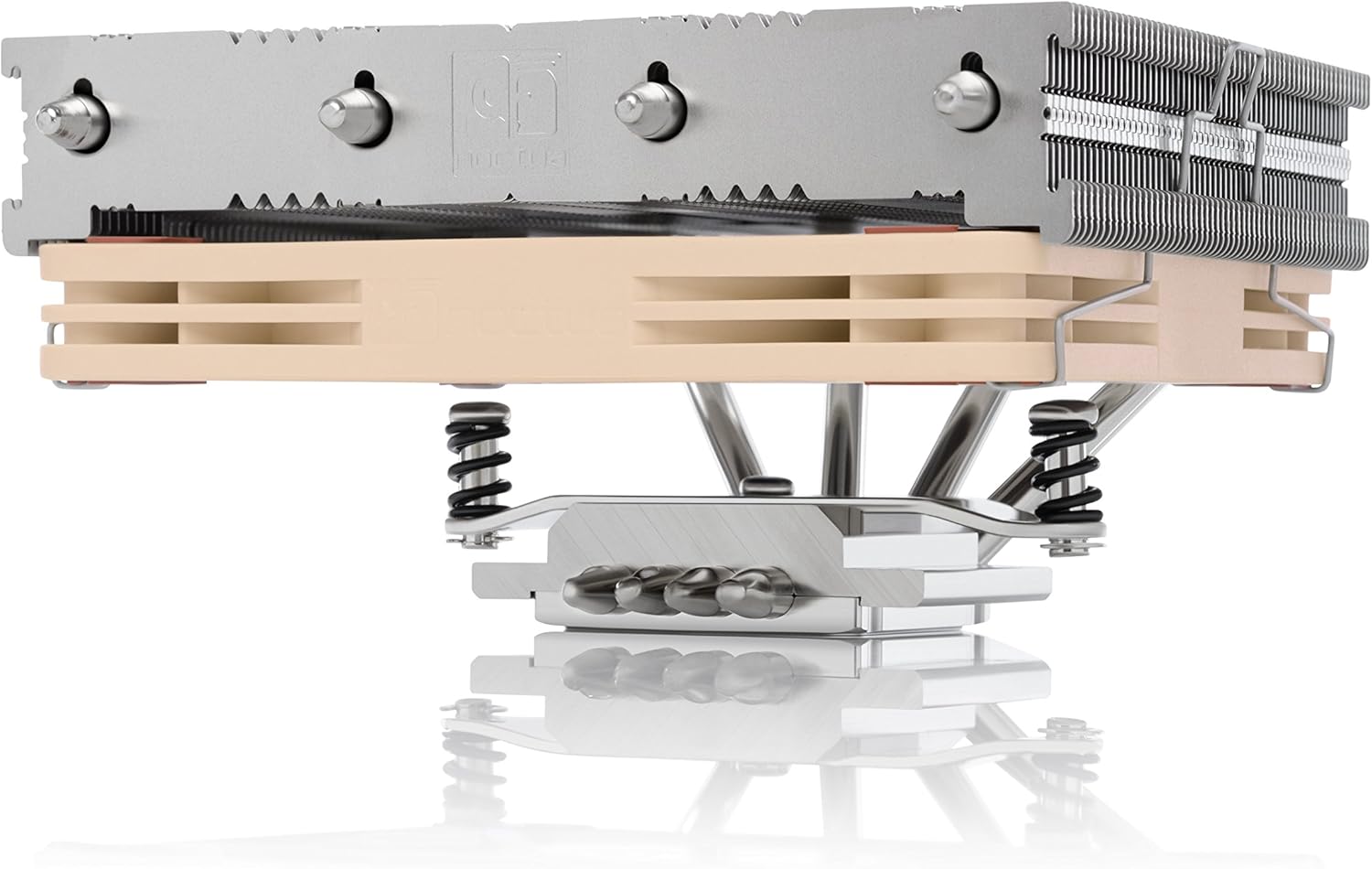
I picked up this cooler to replace an H80i v2 which failed on me after just a few months in my ITX 9700K Solidworks PC build. I figured I'd go back to old reliable air cooling since it seems like other folks have had similar issues with that particular AIO. First of all, the packaging design for this cooler deserves an award. I've bought Noctua fans before, but this was my first CPU cooler from them - all the packaging (aside from a couple plastic bags for mounting hardware) is beautifully folded cardboard that snugly keeps everything in its proper place. It would have been easy for Noctua to just make a few styrofoam molds to hold this thing, but they took the time to come up with this lovely origami-esque solution that is functional and environmentally friendly. Nice job guys! All of the hardware is great quality - mostly metal aside from a couple plastic spacers. The fan comes pre-installed in the most compact configuration (you can put it on top for better performance, but it might not fit in many ITX builds) and there are several instruction booklets (again, nice quality, for the different chipsets. Compared to other air coolers I've used, the mounting for this is a breeze - the LGA115X backplate has the feed-through standoffs press-fit so you just sort of pop it through the back and the rest of the installation is quite straightforward. If you're using this for AMD or a less common Intel chipset, the installation is a little more involved but probably not too bad. Additionally, there is a little metal Noctua decal "sticker" included which is the nicest logo swag I've ever gotten with a PC component (and I have built some very high end PCs!). The build is in a Silverstone SG13 case with a Silverstone SFX PSU. The CPU is an Intel 9700K running at stock settings with 2 sticks of 16GB Crucial 2666 spreaderless RAM. There is about 3/16" clearance between the top of this cooler and the PSU (PSU is flipped such that the intake fan is directly over the CPU heatsink) and about 1/8" between the CPU fan and the RAM. I put an additional Noctua 120mm fan on the front of the case for additional airflow. As far as cooling performance goes, I was very pleasantly surprised. Keep in mind, this is not a gaming build. This is a Solidworks PC that I use for moderate CAD work (about 1500 parts in my most complex assembly). Probably most importantly, when under typical loads, there is not a big, power-hungry GPU dumping a bunch of heat into my little ITX box - there is a tiny little P400 workstation card which is mostly there to provide multi-monitor support. That said, at an ambient temperature of nearly 90F (in my top floor California apartment with no AC) I was able to run the Solidworks benchmark as well as mess around with my largest assembly without every seeing a core temperature go above 70C. All the while, core clocks never dropped below 4700MHz. When I threw Prime95 at it, The core clocks evened out to around 4400MHz (130W power draw according to Core Temp) and temperatures hovered in the low 70's with the max I ever saw at 76C. Again, this is in a stuffy 90F ambient apartment. I can't provide measurements for noise levels, but I will say that, under moderate loading with all BIOS fan settings set to "Standard" this cooler cools my 9700K almost silently. Yes, when Prime95 is running and all 8 cores are under 100% load, it gets a bit louder, but not nearly as loud as some blower GPUs I've heard in gaming builds. In an office setting where the ambient temperature will be almost 10C below what I was testing at, I would never worry about my CPU overheating or the fans blowing so loudly that they bother my neighbors. This product receives my wholehearted recommendation - great job Noctua!
Jason · 2020-06-24 · via amazon
★★★★★great for R7 5700x and SSUPD Meshalicious
I had the Noctua NH-L9x65 from a previous build, and while it technically worked, it wasn't great at cooling this chip for me in the SSUPD Meshalicious case. *To preface, I have a FTW3 3080, two NF-S12A as exhaust in the front, and the R7 5700x with PBO curve at -22 with a temp limit of 80C and +100mhz. On the L9x65 heatsink, I had limited the PPT, TDC and EDC to 55W, 45A and 65A respectively. Also, I spent a good chunk of time overclocking and undervolting the 3080, so it rarely hits over 55C in bench / gaming, so there isn't significant heat surrounding my case.* In gaming on valorant, OW2 and BF2042, I would hit ~75C and close in on 80C during longer sessions, while also hitting 75C-80C during OCCT tests/benchmarks. Note, idle temps were usually around 55C with light workloads (web browsing, etc) in the mid 60s. Without limiting PPT, I would just bounce off the thermal limits and I'm guessing the CPU would throttle (I'm coming from an i5-8400, so at 1440p and 144hz, the R7 5700x is keeping up just fine and my 1% lows are still high so I don't notice throttling). The only reason I ended up upgrading to this heatsink is because my curious self took the side mesh panel off while the thing was running because I wanted to see how much heat I could feel being pulled from the heatsink and a clamp from the panel hit the fan while it was running and broke off a fan blade, causing it to be imbalanced and eventually stop the fan from running. Instead of just buying another 95mm fan, I opted to go for this heatsink. After installing the NH-L12s, my idle temps dropped significantly, with my current low at 32C and current max at 64C (OCCT tests for 1 hour). This is with PPT, TDC and EDC back to their default settings and the boost bumped to 150mhz (HW monitor registered 77.8W from the CPU as a max, so I know Ryzen is back to doing it's thing where it's pulling more power than advertised. As I'm writing this, my CPU is registering 39C, so this has greatly reduced my temps. Gaming puts it up to 55C, so there's been an incredible drop overall and has allowed me to at least not limit power to the chip via PPT, etc, in order to drop temps. I have cores hitting 4982mhz with the slowest core peaking at 4749mhz, I know people say do not overclock with this, and while I agree you shouldn't use this heatsink to go for records, for the R7 5700x as a 65W chip, this can do wonders and I'm absolutely positive you could put on a nice overclock with a sensible undervolt and have great temps. this series for whatever reason likes to actually hit the thermal limits, so given that i'm not really going higher than 65C at default settings (minus the curve UV), there's definitely a solid amount of headroom for OC - AMD puts the thermal limit at 30C above my peak right now so I have ample headroom. Additionally, given that the 120mm fan can spin slower than the 95mm fan (2500rpms vs 1800rpms i think) while pushing more air, the noise has reduced considerably. bottom line, if you're air cooling a mini itx setup, specifically the SSUPD meshalicious and you can fit this with the fan in the low profile position, i'd 100% go for it.
Levenly · 2023-01-06 · via amazon
★★★★★Best in class, love the flexibility and engineering spirit
Quiet and very consistent flow. Works well for my x870i mini ITX board with a slight adjustment by removing the thermal lid for VRM which is mostly useless I think.
Jun Dai · 2026-03-09 · via amazon
★★★★★Impressive low-profile cooler!
I bought this to replace a Silverstone low-profile cooler for my i5-4690. The Silverstone performed more or less like a stock cooler, even with AS5. I was seeing idle temps around 35C and often hit 70+ when under standard loads. The machine is mostly just a Plex server, but does a lot of transcoding full-size blu-rays. With that Silverstone cooler, I had to kill a Prime95 run that hit 90C and climbing after just 5 mins. I was hesitant to spend a bunch on a replacement (the Silverstone was like $15) but decided cooling was worth it for a fairly compact Mini-ITX case. *Side note, the Fractal Design Node 304 case is AMAZING for a compact file server case!* I originally purchased the Cooler Master EVO 212, thinking I had enough vertical space above the motherboard. However, after getting it fully installed, I found that the heatsink almost completely blocked off access to my drive cages. There was no room to install SATA or power cables. So...that one went back, and I decided to try my first Noctua cooler. This cooler vastly exceeded my expectations. It does cover a large area of the motherboard, but does not extend into my drive cage area. I opted to use the included NT-H1 thermal compound rather than AS5. I had been using AS5 for 15+ years with good results, but have heard that newer TIMs have exceeded its performance. I figured the difference shouldn't be substantial, and that the cooler itself should probably make a bigger difference in my case. Granted this is a much larger cooler, the performance difference exceeded my expectations. Idle temps are comparable, but still about 5C cooler, so 28-32C average. The major difference was under load. Just after installing the cooler and letting it settle for an hour or so, I ran a Prime95 stress test. This thing peaked and just about locked in at 67C for 15 mins before I stopped the test. It never budged beyond that. That's at least a 25C difference under full wattage load! After a few days, standard (non-Prime95) loads are barely breaking 45C, where they were routinely in the 60s and 70s with the Silverstone. So I'm highly impressed with this cooler. I love that I can re-use it for newer CPUs when I decide to rebuild this machine. So despite the high cost difference, I feel it was worth the price!
Tortuga · 2019-01-28 · via amazon
★★★★★Outstanding cooler if you have height issues.
Originally wanted to go with a C14S from Noctua. Luckily, someone mentioned in a forum that this case (Silverstone GD09B) has a HARD CPU cooler height limit if you plan to install an optical drive. The NH-L12S is the next step down in terms of performance, and would just make the height clearance with fan mounted in the more efficient top fan config. In order to make the bluray drive work I had to use a right angle SATA power and data to SAS cable from HPE which thankfully fit between the tiny gap between the cooler and drive. Installation of the heatsink itself was easy with an AM4 motherboard, as it uses the same backplate. If you are changing the fan position, remember to pull down with a bit more pressure than you think necessary on the mounting brackets to install it properly. Best to do this before installation. It is currently cooling an AMD 5700X. It offers plenty of performance and only sips power. With CPU in stock mode, it never draws more than 73W according to hwmonitor. The NH-L12S doesn't have any issues keeping temperatures in check. After a 30 minute torture test, the CPU reported a top temperature of 75C. In real world usage it never goes above 60C in games. Watching films or streaming is no challenge at all. The sound of the air being moved is louder than the fan, and that is still a whisper on standard pwm mode. The only way to tell the system is on is by the blue power LED. If you need to go with an air cooler, you can't go wrong with Noctua.
Performance (37%) ÷ Price ($73.99) = 9.0 S ≥28 · A ≥20 · B ≥14 · C ≥8 · D <8
Save $0.96 at newegg vs amazon
CONSIDER INSTEAD
SAVE $54.599999999999994130% of this product's perf
Thermalright AXP90-X53 White Low Profile ITX CPU Air Cooler, 53mm Height, TL-9015W Slim PWM Fan Low Noise 22.4dba, Silent ITX CPU Cooler, 2700RPM,for AM4/AM5/Intel 1150/1151/1155/1156/1200/1700/1851
Price
$19.39
$19.39
+11% FASTER$54.599999999999994 cheaper
Thermalright AXP90-X53 White Low Profile ITX CPU Air Cooler, 53mm Height, TL-9015W Slim PWM Fan Low Noise 22.4dba, Silent ITX CPU Cooler, 2700RPM,for AM4/AM5/Intel 1150/1151/1155/1156/1200/1700/1851