★★★★★Unlocked Full 5Gb Speeds and Beyond, Perfect Upgrade for Gamers
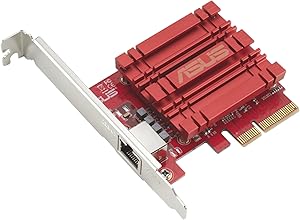
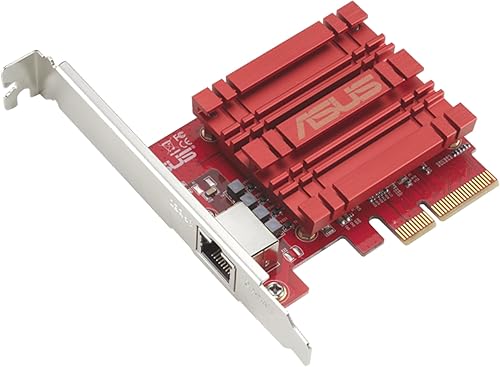
Here’s an upgraded version with gaming included and a bit more impact: ⸻ I recently added the ASUS XG C100C 10G Network Adapter to my setup, and it has been a huge upgrade for my home network. My motherboard only supported up to 2.5Gb speeds, which was holding me back from fully utilizing my 5Gb internet at home. After installing this adapter, I was finally able to unlock those higher speeds and even surpass the 5Gb mark, which was exactly what I was hoping for. Installation was straightforward and hassle free. It fit perfectly into my system, and the drivers were easy to install. Within minutes, everything was up and running, and I immediately noticed the performance boost. As a gamer, this upgrade has made a real difference. Downloads are significantly faster, game updates that used to take a while now finish quickly, and overall network responsiveness feels much smoother. Latency is stable, and I have not experienced any drops or interruptions during online gameplay, which is huge for competitive sessions. The connection has been extremely reliable across the board. Whether I am gaming, streaming, or downloading large files, everything feels faster and more consistent. It handles heavy network usage without breaking a sweat. Build quality is solid, and it runs reliably without any issues. If you are limited by your motherboard’s network speeds and want to fully take advantage of high speed internet, this adapter is absolutely worth it. Overall, this is a great investment for gamers and anyone looking to upgrade their network performance and future proof their setup.
Mark · 2026-03-17 · via amazon
★★★★★So far no issues except annoying network boot
I installed 3 of these. Of course this is just day one, but some of the negative reviews I read, don't apply at all (at least to me, on 3 different computers... one AMD 2 intel). Some of the reviews that say that this card doesn't initialize and you have to wait, or that it disconnects or drivers are horrible etc... this was a very clean plug and play. I downloaded the latest drivers from ASUS... but popped the cards in 2 windows 10 machines, and 1 windows 11 machine. On the 2 windows 10 machines (which are also intel), it tries to boot from the network card. I tried to disable this in the bios but it still tries, this is annoying because it takes like 30 extra seconds to boot. You can click ESC to skip it but if you have a monitor that doesn't show you what is going on you can assume something is wrong or stop it during boot. I need to figure out how to get it to skip this, I am sure there is a way. Full disclaimer still waiting on my other 10G switches, so I haven't tested them out at full speed yet, but on my1G network they work just perfect like the internal NICs always have.
Steve Snyder-Hill · 2023-05-26 · via amazon
★★★★★There are no Wake-On-Lan 10GbE Cards
Like many others here I was surprised when this card came with no Wake-on-LAN functionality. Spent a fair amount of time looking around for a card with such header and what I learned is that there are no 10GbE LAN cards with WOL header -- and the ones that claim they have one are likely just fake baits. This card performs really well, supports jumbo frames and easily hits 950-980MBps (that's bytes) transfer rates, so - yes, it actually is a good purchase. It might be possible that the Aquantia technically supports WOL, but I understand there are other technical limitations at this point preventing pretty much all manufacturers from supporting this explicitly, like supplying enough power to this card. If you're wondering how to solve the issue now - one recommendation I've seen is to keep the onboard LAN still connected.
Tomasz · 2021-02-17 · via amazon
★★★★★Did not work out - here is what I ended up doing
I decided to upgrade my home network, so I can access my NAS faster. Given that I had bought a new switch, this NIC card, and a new NAS, I couldn't easily troubleshoot why I wasn't getting the speed to the NAS or why the Internet was dropping. I ended up swapping out every new component, until I discovered that it was this card that was causing all the issues. Issue #1: I couldn't achieve the transfer speed using iPerf3 test. Issue #2: Internet connection was very slow, and Google Speed Test would not run. However, I was able to use the card to transfer files from my NAS to my PC at 1GB/s, which is very close to 10Gbps. If I needed this network card just for internal transfer, then I would've been ok. But, I also needed this card for my Internet access, and that's where it was a no-go for me. I switched out to Intel X550, and without changing anything else, my Internet connection is working fine. I had read some other comments stating that CAT 7 cables are causing problems, but I am only using CAT 6A cables to the Internet. I also upgraded the firmware to the latest, but it didn't help. I do wonder if the card is dropping IP addresses when the buffer is set 'incorrectly.' Either way, after having spent a lot of hours sweating over how to make this card work, I finally gave up and returned the product. Intel card is 3 times more expensive, but I am glad that it just works. I have an ASUS motherboard, which is working very well, so I am a bit disappointed by this experience.
Amazon Customer · 2021-01-29 · via amazon
★★★★★Compact 10 Gig NIC
A good 10 Gig NIC. Works in Windows, Linux and macOS without issues. A bit expensive but yields a flexible configuration from 1 G up to 10 G and everything in between.