Gawfolk 27 Inch 4K Monitor IPS 60Hz, UHD 3840 x 2160p PC Monitors, Computer Dispaly for Home & Office

/
🖥️
1 results
💡 How to pick a monitor
What to look for:
  • Resolution (1080p, 1440p, 4K) matches your GPU
  • Refresh rate (120Hz+ for gaming)
  • Panel type (IPS for color, VA for contrast, OLED for best image)
💰 Sweet spot 2026: 27-inch 1440p 165Hz IPS. Under $300 for great quality
FILTERS
🔍
SORTVIEW
ProductScreenResolutionRefreshPanelValuePrice
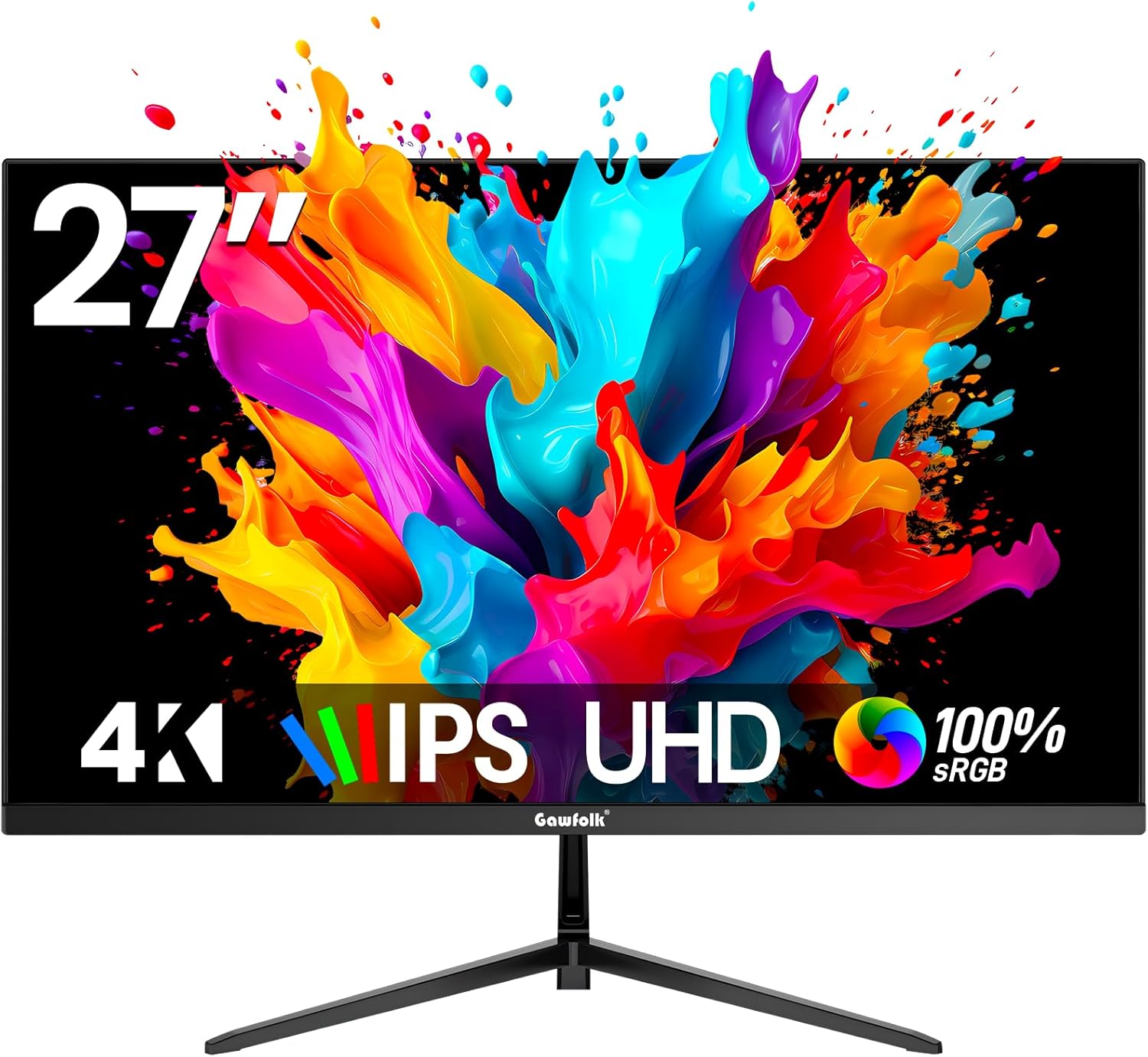
27 Inch 4K Monitor IPS 60Hz, UHD 3840 x 2160p PC Monitors, Computer Dispaly for Home & Office Monitor
27 Inch 4K Monitor IPS 60Hz, UHD 3840 x 2160p PC Monitors, Computer Dispaly for Home & Office
Gawfolk★★★★4.3🔥 DEAL -$50
27 Inches"
4K
60Hz
LED
S
$199.99
$149.99
Specifications
asinB0FFM6Z28R
reviews518
discount25
Model #GF270M
Weight7.7 lbs
Screen27 Inches"
Resolution4K
Refresh60Hz
PanelLED
Response1 Milliseconds
Ports1x HDMI, 1x DisplayPort
resolution4K
PERFORMANCE
62%
Customer Reviews★★★★★4.8 · 5 reviews
★★★★★Worth it
Honestly so much screen space! I love the quality! Easy to put together. Only thing is I don’t think it has built in speakers. But still worth all the money if balling on a budget.
Tirrell heath · 2026-04-21 · via amazon
★★★★★Perfect for 12 VDC Applications
I landed on this monitor because of its combination of being 4K, operable on 12 VDC, its weight, its size and its price. I expected to check a few of those boxes but not all of them. This monitor is great! I run it as a second monitor at the desktop and take it with me for wilderness applications. It's part of a mobile setup featuring a Mac Mini M4, Starlink and stored 12 VDC , solar power. The image is sharp and clear and integrates nicely to meet my desktop and off-grid requirements.
OROZŪK · 2025-12-12 · via amazon
★★★★★Resolución perfecta!
Excelente monitor
William Cantillo · 2026-05-09 · via amazon
★★★★★Great for gaming
This is a good gaming monitor got it for my son works great couldn’t ask for better
Shanna · 2026-04-15 · via amazon
★★★★Surprised at the quality
I was looking to get a 1080p widescreen monitor, as my first one. I needed to upgrade to something with more real estate than my 15.6" laptop screen, and I saw this one, and the cheap cost, and was intrigued. I didn't want a curved monitor, though I can see why someone would want a curved monitor now that I've used this one for a few days. This monitor is *not* curved. It arrived and I plugged it in, fully expecting it to have a dead pixel, or a bad connection, or to be otherwise "bad" in some way, and I was surprised, because it seems fine, so far. Better than I was expecting from a non-name brand monitor with zero reviews online anywhere. No dead pixels, no weird flickering. There was a sticker covering the monitor that tells you to not remove if there is any problems, and to reach out to Gawfolk first, but that protective film has a stamp on it that says the model number of the monitor, and I wasn't sure if that was an issue with the monitor, or if it was with the sticker until I removed it. I'd suggest not having the model number placed on the protective film, or make it more obvious that it's a part of the film and not some fault with the monitor itself. I will say however, the description and information for this model is inconsistent. The manual says to use an hdmi cord that is "HDMI 2 or better" to ensure a good connection, but nothing is listed as to the quality of the cable the monitor ships with. One set of information says it is 1.4, another says 2.1. HDMI 2 is not required because this is not a 8k monitor, and HDMI 1.4 is plenty sufficient for this resolution. The monitor quality seems a little blurry, in a way I can't really explain. Perhaps 34" is too large for 1080p ultrawide? or is it due to the pixel density of the monitor? I'm not entirely sure. It seems to report to Windows 11 that it is 120hz, and best I can tell it does appear to be at 120hz, but I have a hard time discerning hertz over 60. I used to have a 144hz monitor that was side by side with a 60hz monitor and telling the difference side by side "stood out" but it wasn't nearly as obvious as going from 480p to 1080p, for example would be. My laptop has 165hz but it all seems rather meaningless to me. I'm also docking it a point because there is *zero* height adjustment, and the attachment to the back is a bit flimsy. I haven't tried to see if it is VESA mount capable because I don't have the mount arm anymore I used to have. If you want the monitor to be higher up, you will need to put it on a box, or use a VESA mount. You *can* tilt the monitor, but that seems a bit meaningless to me because the tilt is not much. I primarily use this for gaming, and it seems to be fine for gaming, besides the issues I had mentioned. I took a risk and so far everything turned out okay. I'll update my review in the future if anything changes.
Gvaz The First · 2026-03-24 · via amazon
Buy Now
Amazon
✓ In Stock
$149.99
Buy →
Best Buy
Not tracked at this retailer
N/A
MSI
Not tracked at this retailer
N/A
Newegg
Not tracked at this retailer
N/A
Newegg (Open Box)
Not tracked at this retailer
N/A
VALUE SCORE
S
41.3
Exceptional value
Performance (62%) ÷ Price ($149.99) = 41.3
S ≥28 · A ≥20 · B ≥14 · C ≥8 · D <8
💰
Below MSRP
Was $199.99 → $149.99
25% off
27 Inch 4K Monitor IPS 60Hz, UHD 3840 x 2160p PC Monitors, Computer Dispaly for Home & Office Monitor
CONSIDER INSTEAD
SAVE $40.000000000000014131% of this product's perf
27 inch 2K QHD(2560×1440) PC Screen, 180Hz Gaming Monitor, 1ms Without Bezel
Price
$109.99
$109.99
+19% FASTER$40.000000000000014 cheaper
27 inch 2K QHD(2560×1440) PC Screen, 180Hz Gaming Monitor, 1ms Without Bezel
Price
$109.99
$109.99