* Memory Speed is the max supported by this motherboard. Actual speed also depends on your CPU's memory controller and RAM kit rated speed.
PERFORMANCE
68%
Customer Reviews★★★★★4.0 · 5 reviews
★★★★★ASRock B550 Phantom Gaming Motherboard
I'm not using this motherboard for gaming; I'm using it to migrate to Windows 11. I selected it because it supports TPM (pretty common these days,) has enough SATA ports for me, and supports AMD CPUs with built in graphics.
Windows 10 was installed on one of the installed disks. Apparently Microsoft wants us to buy a new version of Windows in order to migrate, so my Windows activation is no longer valid. I'm guessing this will be true when a motherboard changes even if the same disks are used.
Update: Windows 11 activated. The motherboard supports it, but (because of Windows issues) I was unable to update Windows 10. I had to install Windows 11 rather than upgrade. If you use Windows, you should buy your Win11 license using Groupon for about $10.
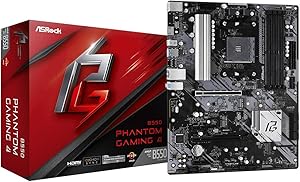
The picture shows the installed motherboard. The I/O shield is on the top left, under the fan. Partially hidden under the CPU fan cable is an unused four pin 12V ATX connector next to the connected eight pin 12V ATX connector. My power supply didn't come with a four pin connector, so I didn't use it. The manual doesn't make it clear exactly why there are two 12V ATX connectors.
As you can see, there's no graphics card used here. The motherboard supports (AMD) CPUs that have built in graphics, which is all that's needed when a gaming motherboard isn't going to be used for gaming. The motherboard has six SATA ports. I'm using four because three extra disks were available.
You should be more careful than I was when considering which case you use. The case I used has two connectors that don't plug in anywhere on the motherboard. It doesn't have a reset button, instead using a front button to control RGB lighting. I use it as a reset button instead, so I can't control RGB lighting.
The back panel has six USB 3.2 Gen 1 ports, an HDMI connector and even (although I haven't seen one in ages) a PS/2 mouse/keyboard port. There are also line in, speaker out, and microphone ports. I don't use these. I would use the speaker out but my speaker line is a couple of inches too short to connect where I can see it. The case is installed inside a desk and I'd have to do this by feel. It's not that important yet. The headphone port on the front of the case works. The motherboard supports more fans than I have, has a COM port connector (which requires a PCI card to use,) an RGB LED header and an addressable RGB LED header, two USB 2 connectors, and a TPM connector. Almost all of these connectors are extras. You don't need any extra TPM. The motherboard and CPU provide this function. I have the case LED connector plugged into the addressable RGB header. It probably should have been plugged into the plain RGB header, since my front fans don't glow at all. I'd try switching it, but glowing fans weren't important enough to bother with.
The /ac model also contains wireless LAN antennas. The same I/O shield is used for both models. It has unused holes.
Here's the net: This motherboard does everything I ask of it, but I'm not really stressing it. It's physically sturdy. It started off in a case that wouldn't fit where it was needed and moving it to a smaller case didn't cause any problems. Before moving it, it ran 24/7 for about two weeks and now that it's been moved it's been running 24/7 for an additional week.
You should look at reviews that contain graphics cards if you're going to use one. (I think you'll need one to support multiple monitors.) Make sure your case and motherboard are going to work well (enough) together.
Retired Geek · 2025-08-08 · via amazon
★★★★★No real caveats for the price
This board works flawlessly out of the box (at least it does now). The BIOS version on the board I received was P1.50. According to ASRock's website, any BIOS newer than P1.20 supports Ryzen 5000. I intend to pair this board with a 5600X. Some people have received outdated BIOS versions, but that issue seems to have cleared up.
I got the board on sale for $90, which is a bang-good price. It isn't very flashy, and the IO shield is rather cheap, but the build quality of the board isn't bad either. The 2oz copper traces really help with heat management, making this board really good for overclocking as long as you have an appropriate cooling solution.
The board comes with FOUR M.2 slots (2 Gen4, 2 Gen3) because the M.2 slots are double stacked. This particular model lacks Wi-Fi support, but it does have an M.2 slot for Wi-Fi.
The board only has one PCIe x16 slot, so if you intended to rock multiple GPUs you are going to need something more expensive.
Overall, very good motherboard and incredibly good price.
Austin · 2021-12-27 · via amazon
★★★★★Thought it would be meh, but it's really good
The pictures don't do the product justice. I thought it looked pretty bad, but I bought a "like new" one for almost half off. I was very surprised by the weight and quality of materials used, the solder is not pointy, and it doesn't creek or crack under normal pressure when inserting cables. Also it was relatively simple to remove the m.2 standoffs to shift to a smaller size. The manual even mentions the yellow tape is removable which stumped me. Super happy about that.
I'm using a be quiet dark rock 4 cooler on top and the vrms barely get warm still, so the cooling is more than good, despite the looks. This is paid with a 3700x.
Other than USB 3.2 type c front panel, this board has all the basics, super happy with the purchase. ASRock has not given me a bad board yet.
This was to replace an MSI b550 board that I had to send back twice and then I just returned on the 3rd try because it was not working with the same hardware.
James A. · 2022-04-29 · via amazon
★★★★★Careful.
The board worked great for 1 week.
Mine didn't work with XMP profile, it was causing constant BSOD and Crashes to desktop while gaming and sometimes youtube videos would freeze. Tried everything including trying out all the BIOS versions available at the moment. I also used it to work from home using teamviewer and what not. It didn't crash on those situations. It could go hours without crashing. 2 weeks worth of troubleshooting and suggestions from Asrock and nothing worked. Will receive another board and see if that one works.
**UPDATE: Decided to purchase a MSI B550 Tomahawk before initiating RMA to see if the problems persisted. They have. Conclusion: My Ryzen 3 3300X is the culprit. Already initiated RMA request for that one.
For reference my specs are:
-Corsair 3200Mhz 8GB x 2 and OLOy 3200Mhz 8GB x 2 (I bought the OLOy because at first I thought the problem was my RAM.
-Ryzen 3300x
-Corsair CX450
-Zotac 1650 Super
-NVME WD 550 Blue 500 GB
Romeo Carbajal · 2020-09-23 · via amazon
★★★★★Sent me a board with bios version 1.0
I ordered this mobo expecting it to work out of the box with a ryzen 7 5700g and because it came with version 1.0 unlike others experiences I have to buy an older cpu to flash updated bios. Other user said it seemed like they fixed this issue and were sending out the updated boards but I guess I got the short stick and given the one board with 1.0. Seems like a good board. But for 30$ more I could have got a mobo working out of the box. So I'm very disappointed with my purchase. I have to wait for an older cpu to come now. I have no idea if my board even works. I just keep getting a black screen with no post. I've tried just my cpu and I've tried my cpu and my gpu together nothing. I think it's because they sent me an outdated board. Beware for that if you plan on using a newer gen ryzen