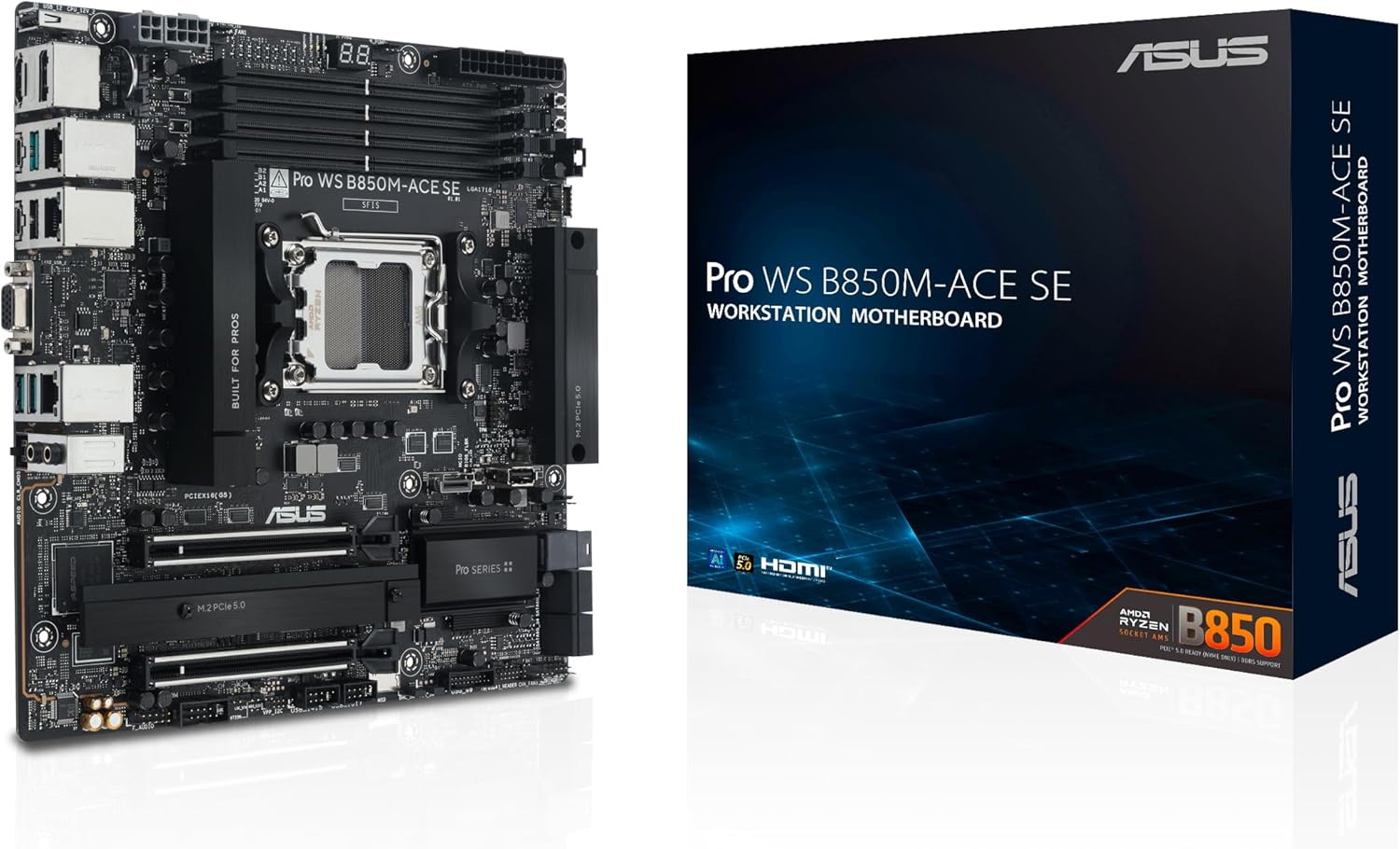
Pro WS B850M-ACE SE AMD AM5 B850 mATX MicroATX Business motherboard, PCIe 5.0 x 16, DDR5
ASUS★★★★4.3
AM5
mATX
B850
None
C
$359.99
3 stores
Specifications
SocketAM5
Form FactormATX
MemoryDDR5
RAM Slots4
Max RAM256
WiFiNone
Weight2.3 lbs
Model #PRO WS B850M-ACE SE
UPC199291258754
PERFORMANCE
85%
Customer Reviews★★★★★4.6 · 5 reviews
★★★★★Amazing!
Highly reccomend for homelab AI inference!
AI Cache Boost really speeds things up!
Paired with big hard drives you can use an OS like True Nas Scale to really get that AI data center and data storage look and feel at home!
Matthew · 2026-02-27 · via amazon
★★★★★Great base MB with some quirks...
Seems like a great MB and very nearly solved all my needs for a quality first time home server build. I was shocked to find no IPMI password in the box, on a sticker or on the MB itself and customer service told me "there is no way to configure IPMI for this product". A second customer support person told me admin/admin should work, but it doesn't. I find that hard to believe that the advertised IPMI feature for this board is blocked behind a null password, so I'll improve my review if I solve this issue before the return window closes. I cannot believe they didn't include anything in the manual, no BMC firmware updates, and no physical hints at how to log into IPMI for the first time.
I'm also slightly disappointed to find out that both Unraid and TrueNAS operating systems don't support this board's 10Gb Realtek NIC... Hopefully they add native support soon so I don't have to jailbreak my OS to install the driver for it. Doesn't match up very well with the advertised "this is a workstation & server quality MB for prosumers" schtick.
--Update 27 Jan '26
Okay, after 3 useless contacts with ASUS support about not being able to log into my IPMI web UI with the typical admin/admin credentials, I lucked out and found someone else with the exact same problem on this MB. You have to install a package in linux called ipmiutil, then use the command "ipmitool raw 0x32 0x66" to hard reset the IPMI module. Note: this cannot be done over LAN, it has to be on the same machine as this MB. For LAN ipmitool commands you have to include the password, which you don't have because it's probably some random generated crap from the factory for testing that they forgot to reset to admin/admin... So in short, running that command and waiting for 5-10 minutes allows you to then go through the normal process, which ASUS also didn't include any documentation on btw, they just mention the board has it in the manual lol. SO 1 star off for god awful product documentation and support, but 4/5 stars for great looking hardware that I can hopefully someday soon take full advantage of in linux/TrueNAS.
P.S. - if you bought this MB for a TrueNAS server, it's great stuff but again, you cannot use the Realtek 10Gb ethernet port yet, expected sometime next year or two they will update the linux kernal they use to one that supports it natively. Finally, you cannot simply install ipmiutil package in TrueNAS shell, as the apt command is locked out. I had to create a Linux Live USB, stick it in, click the option to "try out Ubuntu" and run the ipmitool command from the CLI in there, so that I'm both local (not over LAN) but also not using TrueNAS files in any way. WHEW what a mess, hope this saves other people some time.
David · 2026-01-24 · via amazon
★★★★★Nice compact motherboard with some unfortunate tradeoffs
Nice compact motherboard with some unfortunate tradeoffs.
I now have 6 of these running in two proxmox clusters. Overall, they are excellent motherboards, but understanding the PCIe limitations and tradeoffs of what devices conflict with what takes some doing. Also, there seem to be HDMI issues with some KVM switches that I'm still working through.
Owen DeLong · 2026-05-12 · via amazon
★★★★★No problems yet.
Seems like a solid board. I have done the only BIOS update on it and have not had a problem out of it. Did some pretty rough testing on it after I first got it up and running and it didn't show any trouble. I have 3 different generations of PCIE storage running on (Gen 3, 4 & 5).
Vince · 2026-01-13 · via amazon
★★★★★interesting motherboard
I bought it here , try to setup with Ryzen PRO 8700GE with low TDP which is very good. try to use CMK96GX5M2B6000Z30 48GB x2 and successfully work on 6000 Mhz CL 30, but unluckily can't work for CMK96GX5M2B6000Z30 48GB x4 (only can work on 3650Mhz), not sure is it because of the internal setting for business motherboard or because of CPU, because 48GB x4 can work on MSI motherboard B850 with 6000 Mhz.